Add prompt
Add a published prompt to an agent so that it is used as the agent’s instruction at runtime.
Before you begin
- Follow the Get started guide to set up agentregistry and start the agentregistry daemon.
- Create an agent, such as with the
arctl agent initcommand. - Publish a prompt in agentregistry.
Add a prompt to an agent
-
List the prompts that are published in agentregistry.
arctl prompt listExample output:
NAME VERSION DESCRIPTION code-review 1.0.0 System prompt for code review agent -
Add a prompt reference to the agent manifest (
agent.yaml). The--registry-prompt-nameflag specifies the prompt name that you used when you published the skill in agentregistry. The following command adds apromptssection to youragent.yamlfile. You can pin a specific version by using the--registry-prompt-versionflag. If omitted, the latest version is resolved at runtime.arctl agent add-prompt reviewer \ --project-dir myagent \ --registry-prompt-name code-reviewTo use a prompt from a different registry, use the
--registry-urlflag.arctl agent add-prompt reviewer \ --registry-prompt-name code-review \ --registry-url https://registry.example.comExample output:
✓ Added prompt 'reviewer' to agent.yaml -
After adding a prompt, verify that the
agent.yamlfile was updated.cat myagent/agent.yamlExample
promptssection in theagent.yamlfile:prompts: - name: reviewer registryURL: http://localhost:12121 registryPromptName: code-review registryPromptVersion: latest -
Re-build the agent image.
arctl agent build myagent -
Run the agent. When you run the agent with
arctl agent run, the following steps are execute:- The CLI reads the
promptssection from theagent.yamlfile. - For each prompt reference, the CLI fetches the prompt content from the registry’s REST API.
- The resolved prompt content is written to a
prompts.jsonfile in the agent’s config directory. - The agent’s
prompts_loader.py(autogenerated) reads theprompts.jsonfile at startup. - The
build_instruction()function returns the resolved prompt content as the agent’s instruction, replacing the default instruction.
arctl agent run myagentIf no prompts are resolved (for example, the registry is unreachable or no prompts are configured), the agent falls back to the default instruction defined in theagent.pyfile. - The CLI reads the
-
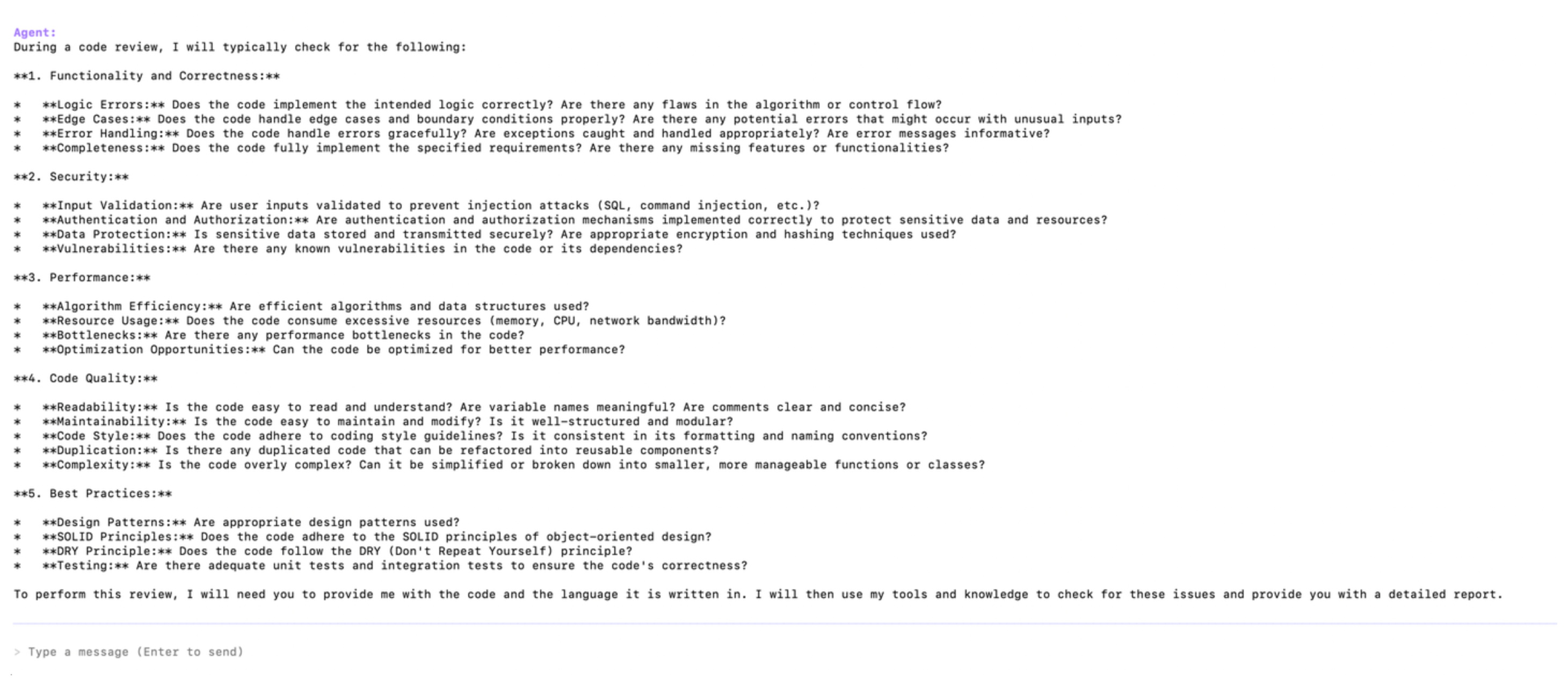
Ask the agent what it checks during a code review. Verify that you get back the steps that you defined in your prompt.
Next
Deploy the agent to your environment.
Cleanup
To remove a prompt from the agent, edit the agent.yaml file and remove the prompt reference from the prompts list. Then, re-build and re-run or re-deploy the agent.